01 / INTEGRITY
SHA-256 baselines
Explicitly approve a known state, then inspect subsequent changes. Clear and reassess without silently replacing your baseline.
BASELINE CONTROL oddity.↗ hind-smith.com
A Mac looked normal yesterday. What changed today? Oddity checks persistence, privilege, network exposure, startup history, and FileMaker authentication activity — then shows its work.
Free for macOS · Updated frequently · Current release details below
Illustrative, anonymized presentation based on a real scan; not a live security dashboard.
ACTUAL APPLICATION · OCTOBER 2026
Explore Oddity's actual interface, from FileMaker authentication findings to live network activity. Server addresses and example log details have been replaced with demonstration values.
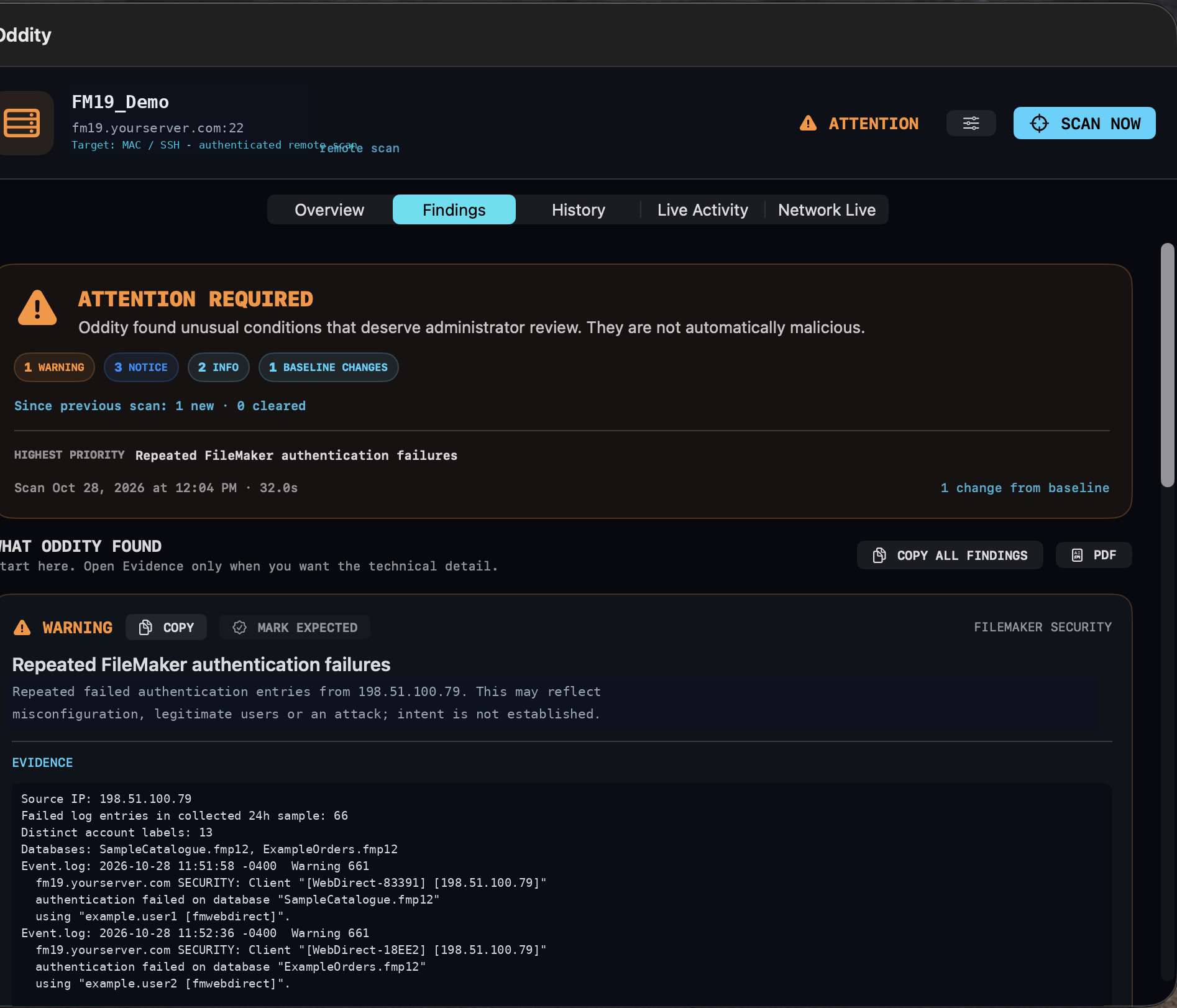
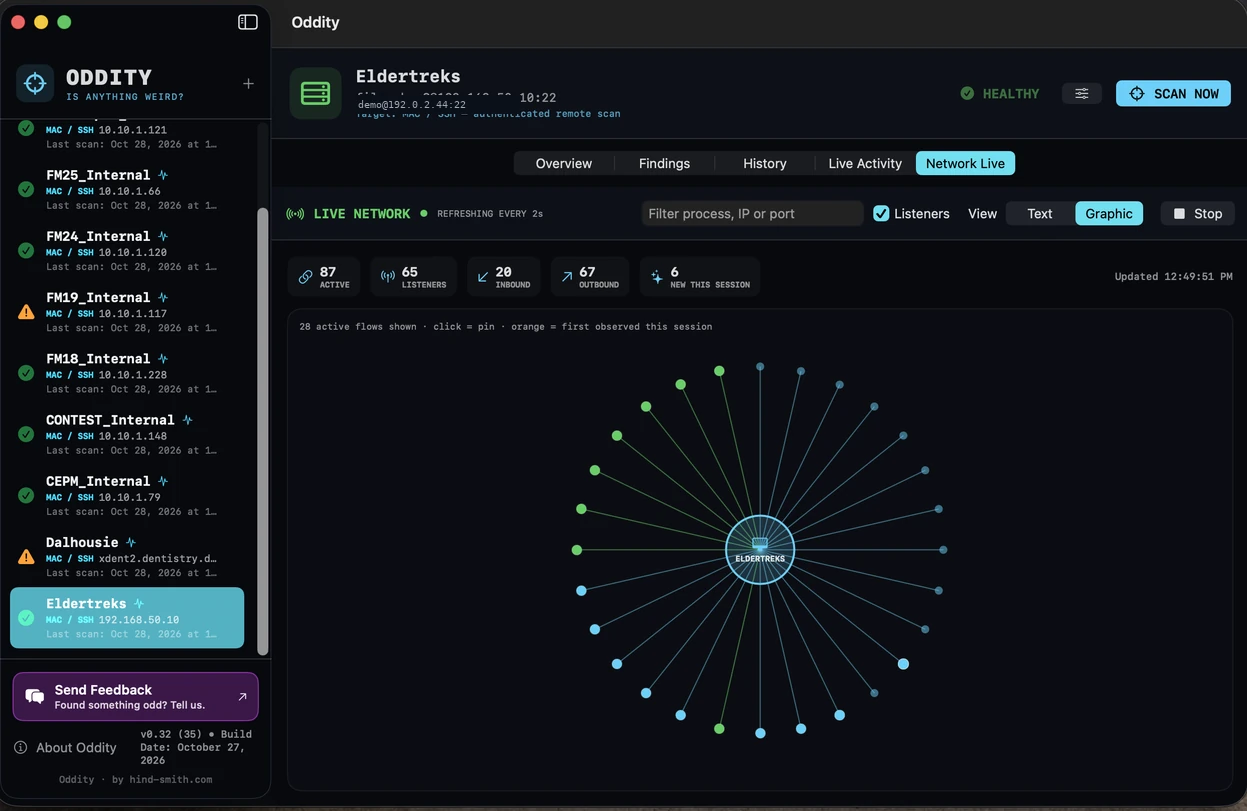
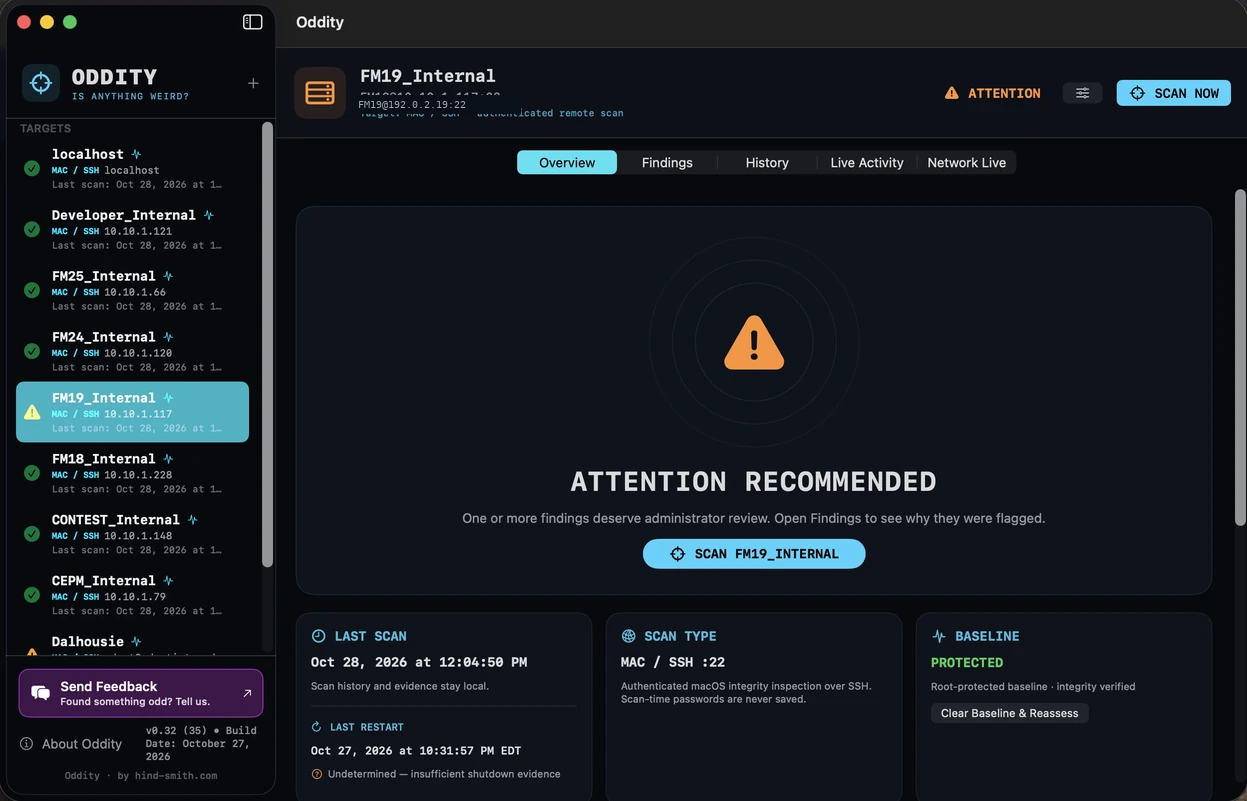
Click a screenshot to inspect it here without leaving the page. Screenshots use demonstration server addresses and sample log details; no blur effects.
THE FULL TOOLBOX
Not a mysterious “security score.” A growing collection of concrete checks, each with context and evidence. Filter by area to explore what's available.
Explicitly approve a known state, then inspect subsequent changes. Clear and reassess without silently replacing your baseline.
BASELINE CONTROLInspect macOS persistence surfaces and identify newly observed or changed startup mechanisms.
CHANGE DETECTIONTrack security-relevant account and privilege changes, SSH keys, and configuration signals.
SECURITY POSTUREReview processes, protocols and listening endpoints. Suppress known processes that only change ephemeral ports.
LISTENER DIFFSRecord firewall posture and detect meaningful changes in externally visible or locally listening services.
CONFIGURATION EVIDENCESurface password authentication and other SSH configuration details without assuming every deviation is malicious.
CONTEXT MATTERSRead sampled FileMaker Event.log and Access.log entries, aggregate repeated failures by source IP, and report targeted account labels and databases.
BUILD 35Review potentially important successful authentications following failures when supported by collected log evidence.
EVIDENCE-BASEDInspect remote Macs without installing an Oddity agent on every server. Older macOS targets can be monitored from a supported host.
REMOTE COLLECTIONCompare boot and shutdown history, distinguish recorded shutdowns from proven initiators, and report uncertainty honestly.
CONFIDENCE-AWAREPreserve scan history and compare the current state with previous observations and approved baselines.
NO SILENT REBASELININGReview severity, summaries, and supporting evidence, then share findings through generated reports.
PDF REPORTINGYOUR SERVERS, ONE VIEW
Scan status, historical context and actionable findings—right where administrators need them.
BUILT WITH FILEMAKER ADMINS IN MIND
FileMaker Server logs tell a story. Oddity helps you read it without mistaking every typo for an intrusion.
Examine a sample finding ↗ACTUAL FILEMAKER LOG ANALYSIS
Investigate repeated authentication failures, affected databases and the evidence behind a finding.
TRANSPARENT BY DESIGN
A failed login is a fact. A compromise is a conclusion that requires more evidence. Oddity keeps those ideas separate.
Illustrative anonymized excerpt from an actual FileMaker Server finding
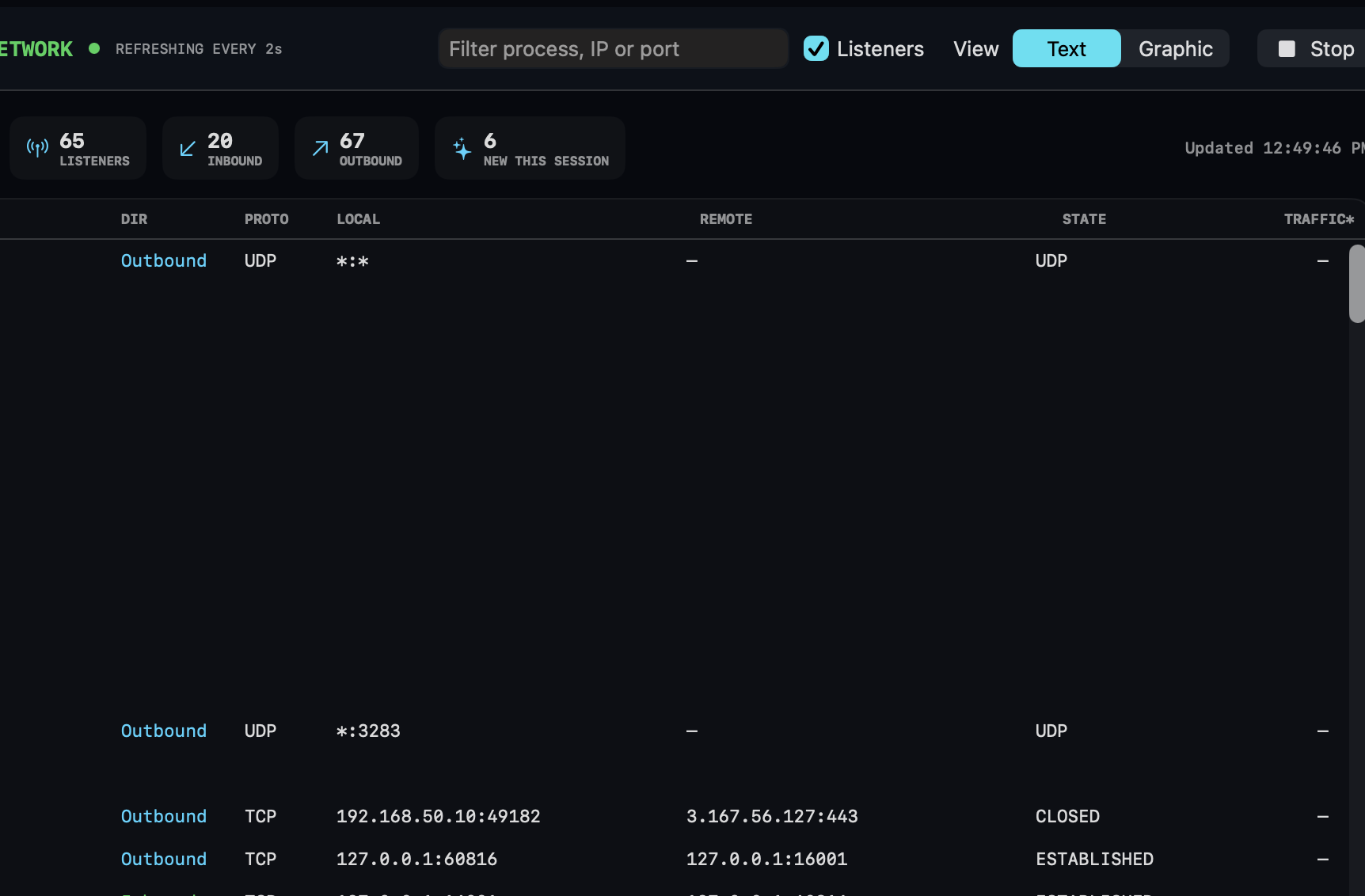
NETWORK VISIBILITY
Explore network activity as a graphical view or a detailed connection list.
UNDER THE HOOD
Oddity gathers security-relevant observations rather than automatically modifying a monitored server.
Changes are compared against the state you explicitly accepted. Expected exceptions can be acknowledged without hiding history.
Mac / SSH scans use the existing remote-access path; target-side permissions determine which evidence is available.
Findings describe what was observed and acknowledge missing logs, ambiguous initiators, or inconclusive activity.
The Oddity application requires macOS 14 or later to run. Remote SSH targets may run older macOS versions, with collection capabilities varying by OS version and permissions. FileMaker log monitoring was introduced in Build 35 and requires FileMaker Server logs to be accessible.
Security scans can contain hostnames, IP addresses and account labels. Treat exported reports accordingly. Optional feedback and future update-check features may contact external services; we will document exact data flows as they ship. Check the downloaded app's signing and notarization status independently.
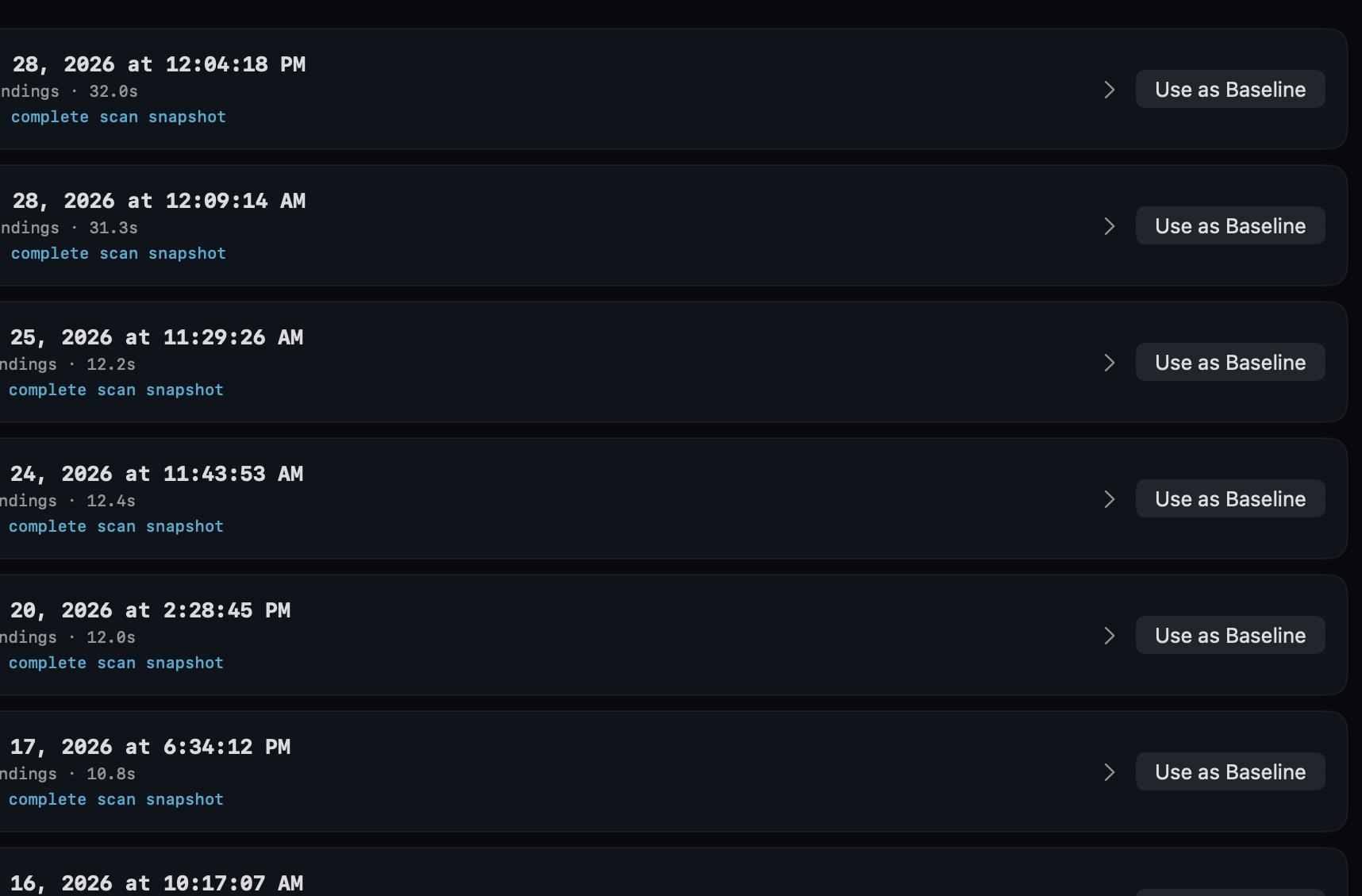
SCAN HISTORY
Compare observations over time without silently rewriting an approved baseline.
FREQUENTLY IMPROVED
One release manifest powers this page and is designed to support an optional in-app update notifier in a future Oddity build.
October 28, 2026
Check the published download before announcing a new version.
Build 35 · FileMaker log analysis
Build 34 · Legacy restart-history parsing
Build 33 · Restart confidence improvements
Release metadata loads from version.json. Dates and build availability should be verified before publication.
READY TO LOOK CLOSER?
Free for macOS. Updated frequently. Come back to see what changed.
Click image to zoom · Esc to close · ← → to navigate